RISS Privileged Administrator App
RISS PrivilegeD Administration App users are independent of RISSHub services. the app allows the user to manage thier own security service, and is completely compatible with riss App .
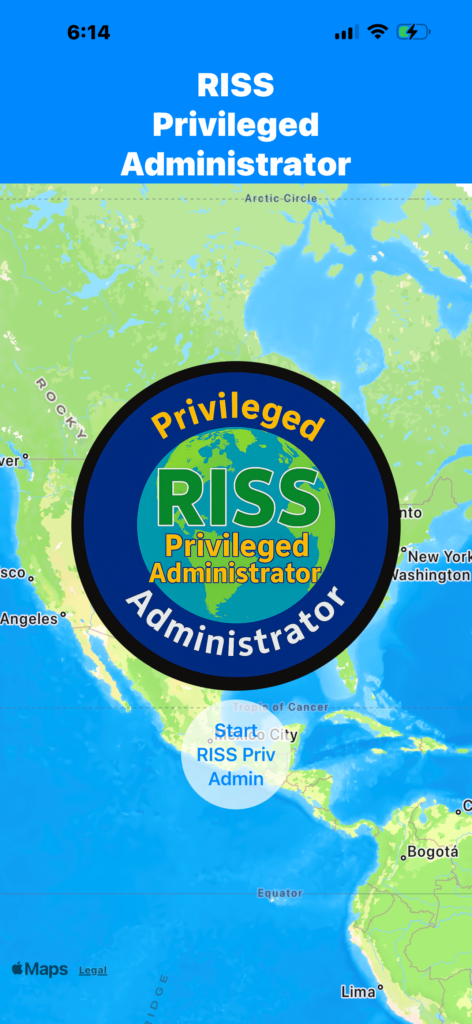
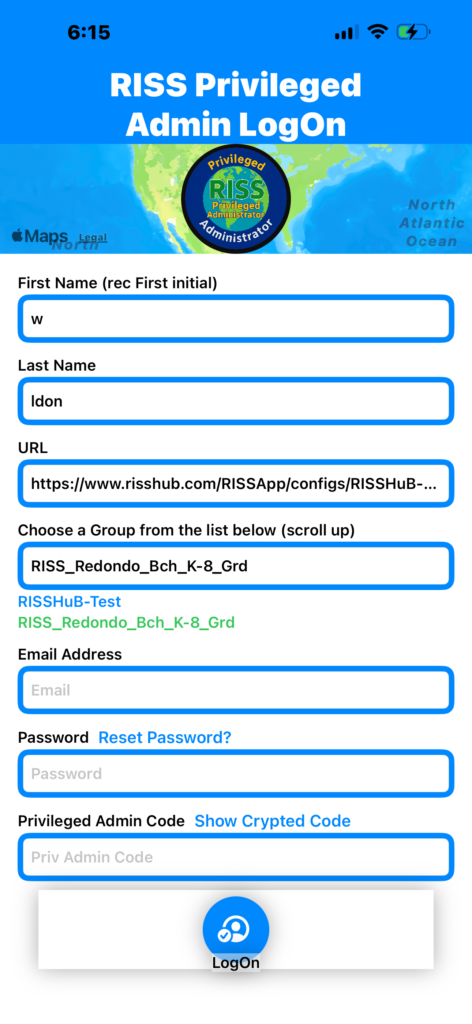
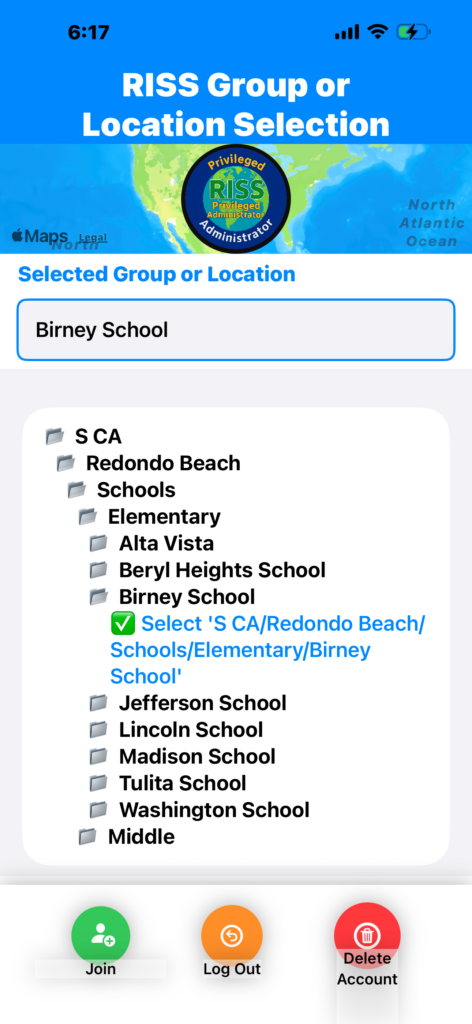
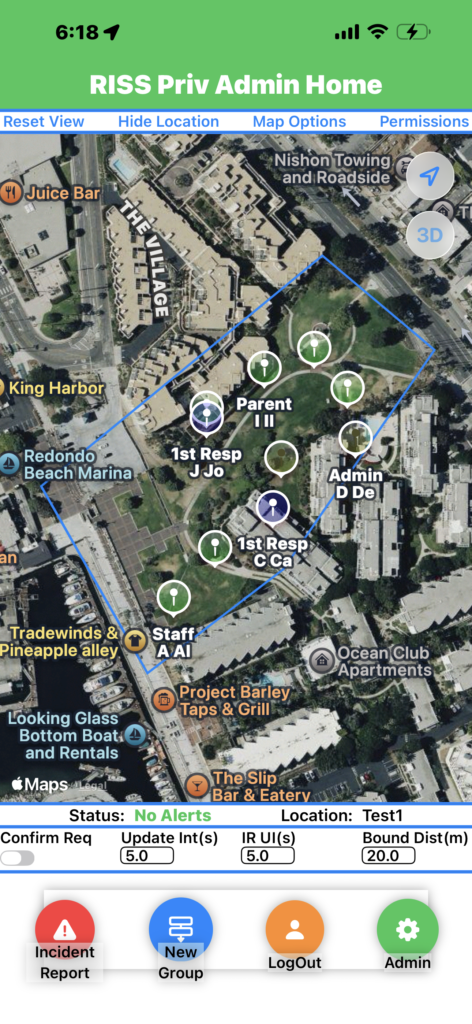
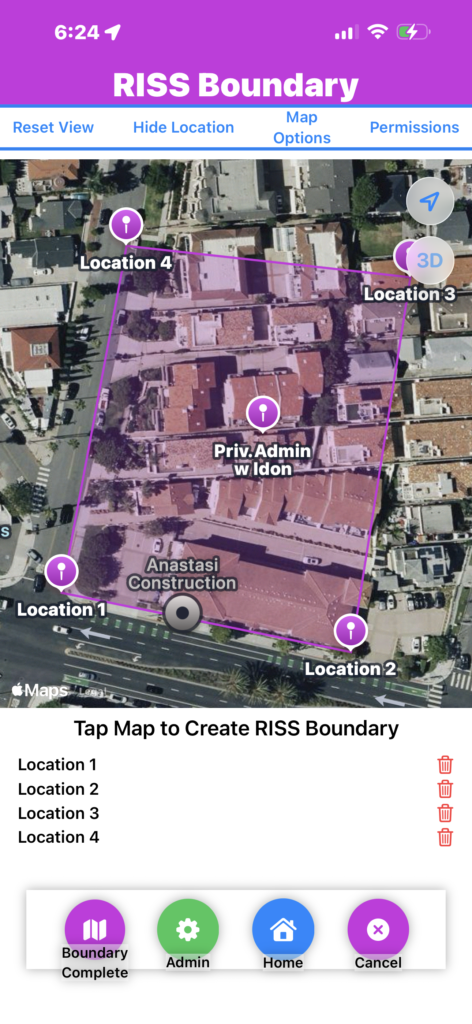
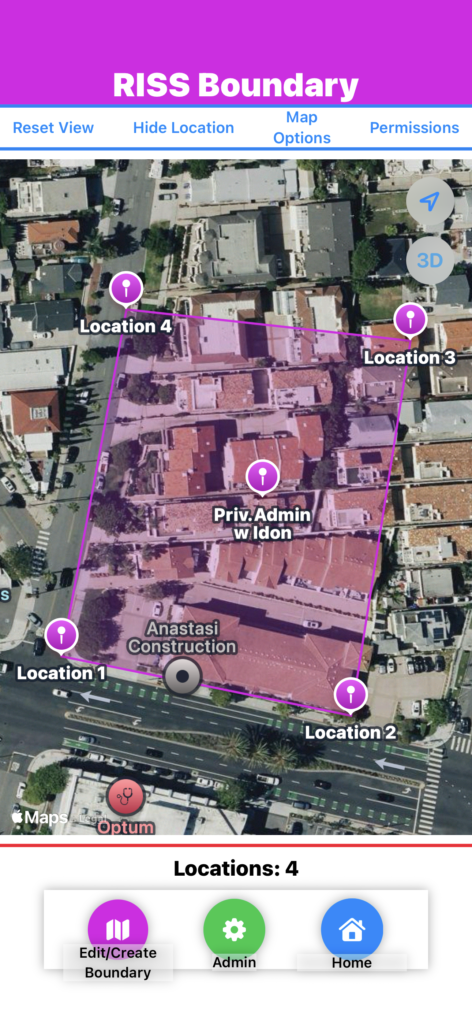
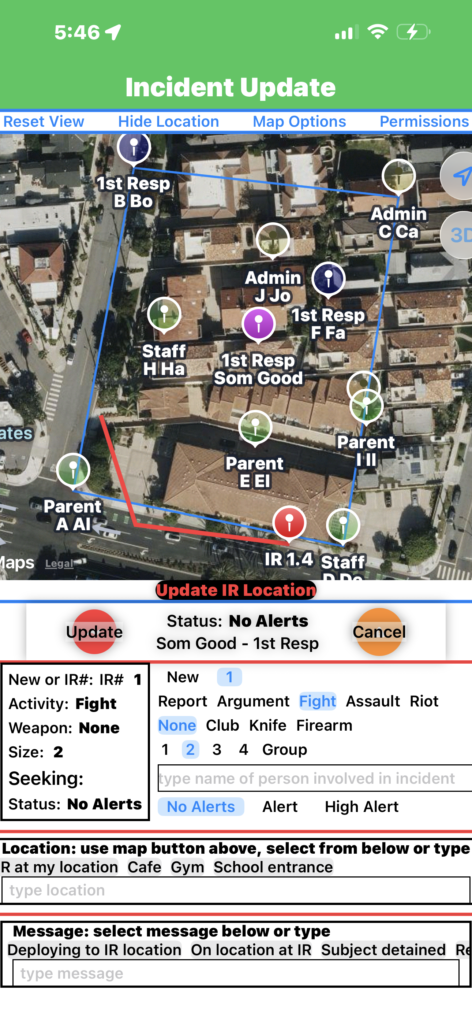
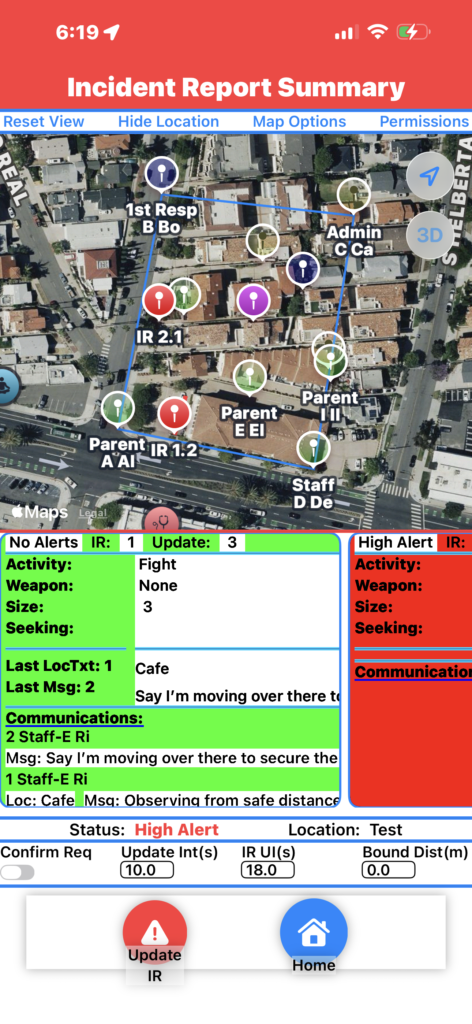
RISS Privileged Administrator App can support several databases with each database supporting several locations. Create your own RISS database for your group, business, or start a subscription business.
RISS Privileged Administrator App provides all of the capabilities of RISS App and several database management tools.
and several database management tools.
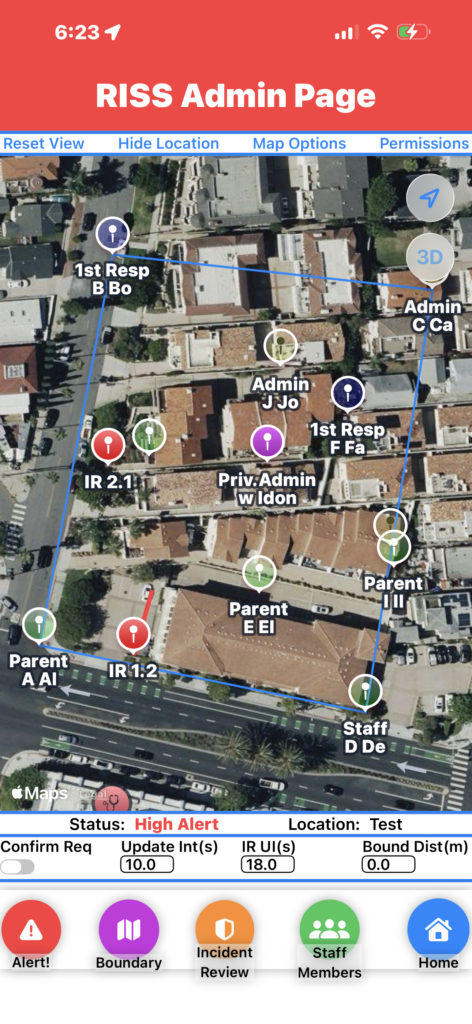
An admin page allows access to the tool Selections.
RISS Admin Page database tools
Staff Member
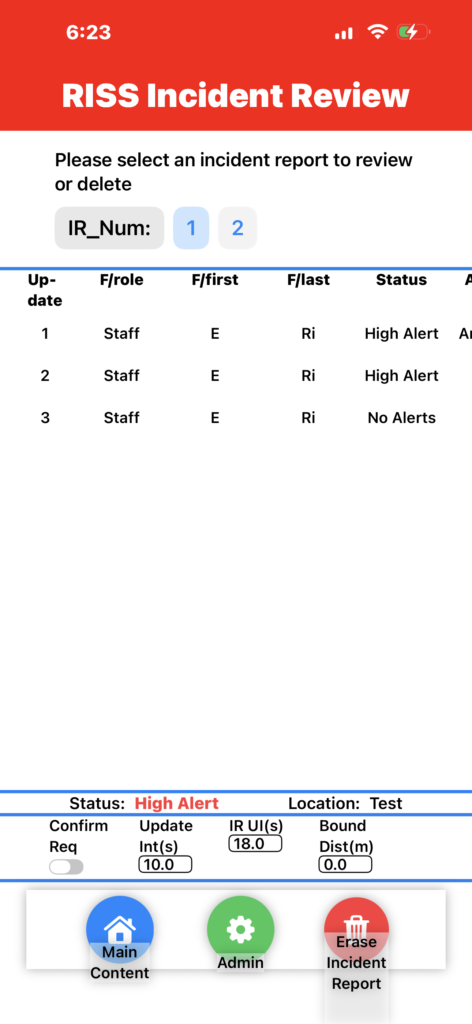
Incident Review
Bondary
Alert
Real-time Interactive Security Status App
RISS App is a real-time security app that helps users report, locate, monitor, and coordinate responses to incidents from the moment they occur through resolution.
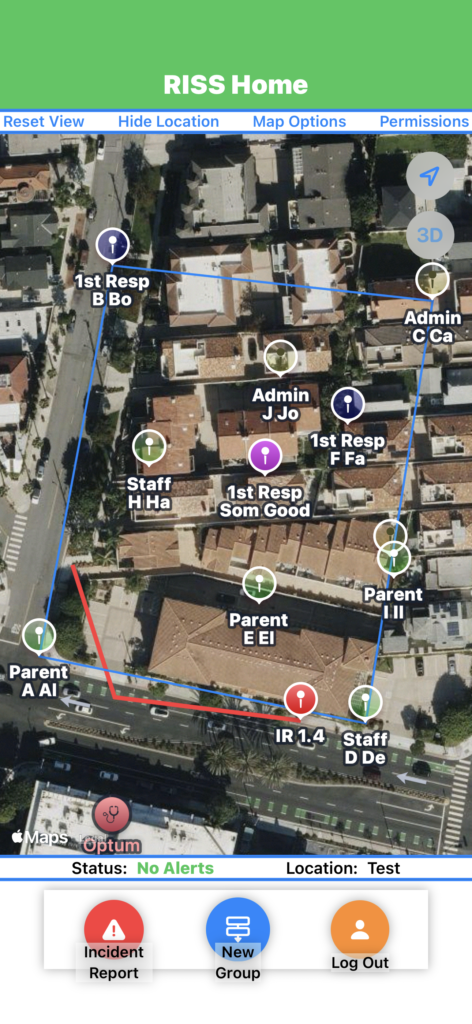
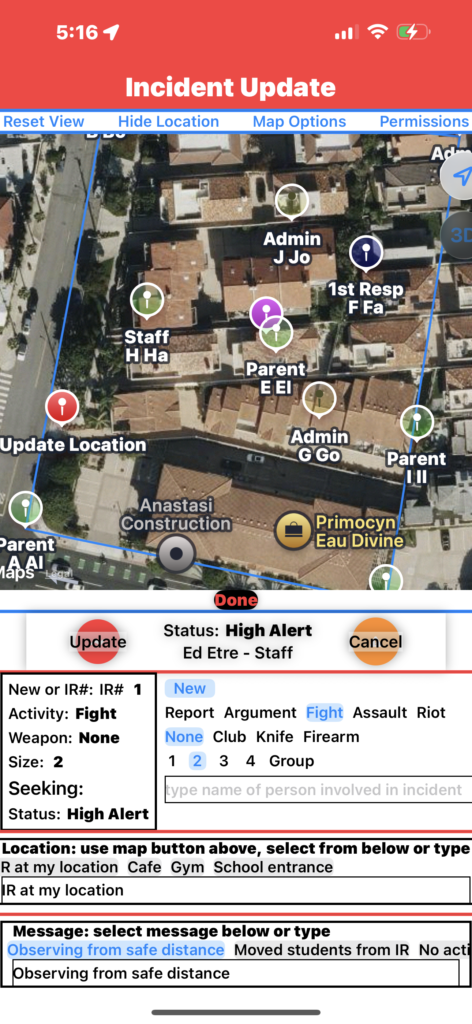
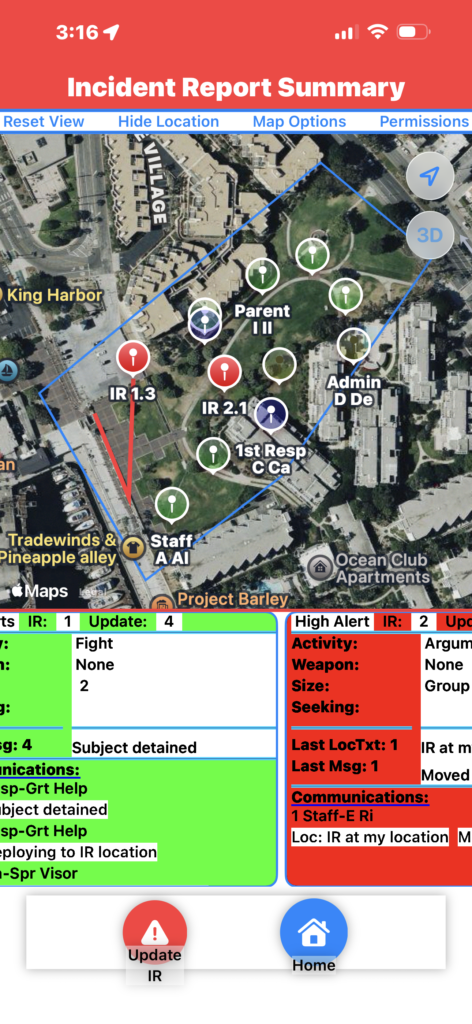
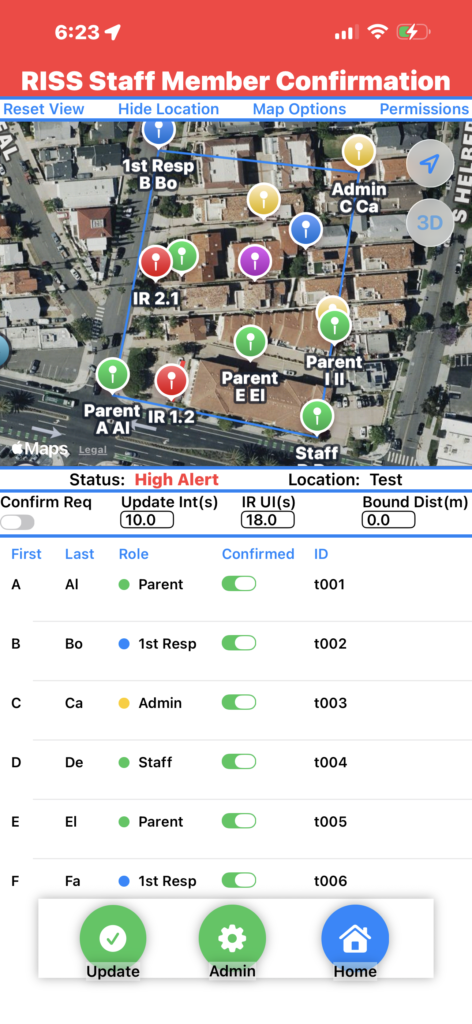
pressing staff members brings up the riss staff member confirmation tool ui
Boundary Distance Tool
Bound Dist (Boundary Distance) is the distance in meters, to the boundary before the user shows thier location. This is designed to keep the map focused on the boundary and in addition has been improved to not send any updates to the database until the user is within Bound Dist, savind database cost.
Staff Member Confirmation provides the RISS Privileged Administrator several capabilities that can be updated real-time.
Confirmation Tools
Setting the Conf Req (Confirmation Required) to false allows any user that joins the database to see the location instantly without being Confirmed. If it is set to true all users “Confirmation” will be set to false upon joining and the user should not be able to see the location or database information. The screen provides the ability to see each users information. Setting any users Confirmation to false will instantly block the user from access to the database, and setting user Confirmation to true will allow access.
Update interval Tools
These tools are designed to increase efficiency and decrease the cost of database ownership. Update Int (Update Interval) sets the time in seconds before a user updates their location to the database, when no Incident Alert has occurred. In contrast, IR UI (Incident Report Update Interval) sets the time for when an Incident Alert has occurred, allowing the Privileged Administrator to set them so when an incident is reported the user locations are automatically updated more often, allowing better tracking of first responders.
pressing staff members brings up the riss staff member confirmation tool ui
Boundary Distance Tool
Bound Dist (Boundary Distance) is the distance in meters, to the boundary before the user shows thier location. This is designed to keep the map focused on the boundary and in addition has been improved to not send any updates to the database until the user is within Bound Dist, savind database cost.
Staff Member Confirmation provides the RISS Privileged Administrator several capabilities that can be updated real-time.
Confirmation Tools
Setting the Conf Req (Confirmation Required) to false allows any user that joins the database to see the location instantly without being Confirmed. If it is set to true all users “Confirmation” will be set to false upon joining and the user should not be able to see the location or database information. The screen provides the ability to see each users information. Setting any users Confirmation to false will instantly block the user from access to the database, and setting user Confirmation to true will allow access.
Update interval Tools
These tools are designed to increase efficiency and decrease the cost of database ownership. Update Int (Update Interval) sets the time in seconds before a user updates their location to the database, when no Incident Alert has occurred. In contrast, IR UI (Incident Report Update Interval) sets the time for when an Incident Alert has occurred, allowing the Privileged Administrator to set them so when an incident is reported the user locations are automatically updated more often, allowing better tracking of first responders.
pressing boundary brings up the riss Boundary tool ui
RISS Boundary Tool
The RISS Boundary UI provides the Privileged Administrator a map of the boundary locations for a selected location. Pressing Edit/Create Boundary brings up a UI that allows the user to Tap the map to create an additional boundary node, or press a trash can to eliminate a current boundary node. Boundary nodes are conveniently labeled. Pressing Boundary Complete updates the real-time database and all users are updated in real-time.
Boundary Distance Tool
Bound Dist (Boundary Distance) is the distance in meters, to the boundary before the user shows thier location. This is designed to keep the map focused on the boundary and in addition has been improved to not send any updates to the database until the user is within Bound Dist, savind database cost.
Staff Member Confirmation provides the RISS Privileged Administrator several capabilities that can be updated real-time.
Confirmation Tools
Setting the Conf Req (Confirmation Required) to false allows any user that joins the database to see the location instantly without being Confirmed. If it is set to true all users “Confirmation” will be set to false upon joining and the user should not be able to see the location or database information. The screen provides the ability to see each users information. Setting any users Confirmation to false will instantly block the user from access to the database, and setting user Confirmation to true will allow access.
Update interval Tools
These tools are designed to increase efficiency and decrease the cost of database ownership. Update Int (Update Interval) sets the time in seconds before a user updates their location to the database, when no Incident Alert has occurred. In contrast, IR UI (Incident Report Update Interval) sets the time for when an Incident Alert has occurred, allowing the Privileged Administrator to set them so when an incident is reported the user locations are automatically updated more often, allowing better tracking of first responders.
and several database management tools. tools include the ability to set any location such that all users must be confirmed before they join the location, the ability to block any confirmed user, to CREATE OR change boundary locations, control user Location update times , incident report update times, and distance to the boundary before a user shows location (decreases the number of updates to the real-time database which can reduce server cost to nothing), AND review or delete Incident Reports.